Gigways

Everything you get,free from day one.

Gigways tracks your miles, keeps your costs, and shows what you really made. Here’s each part of the app, what it does, and the two extras you can turn on if you want them.

Free on iPhone. No trial, no credit card.

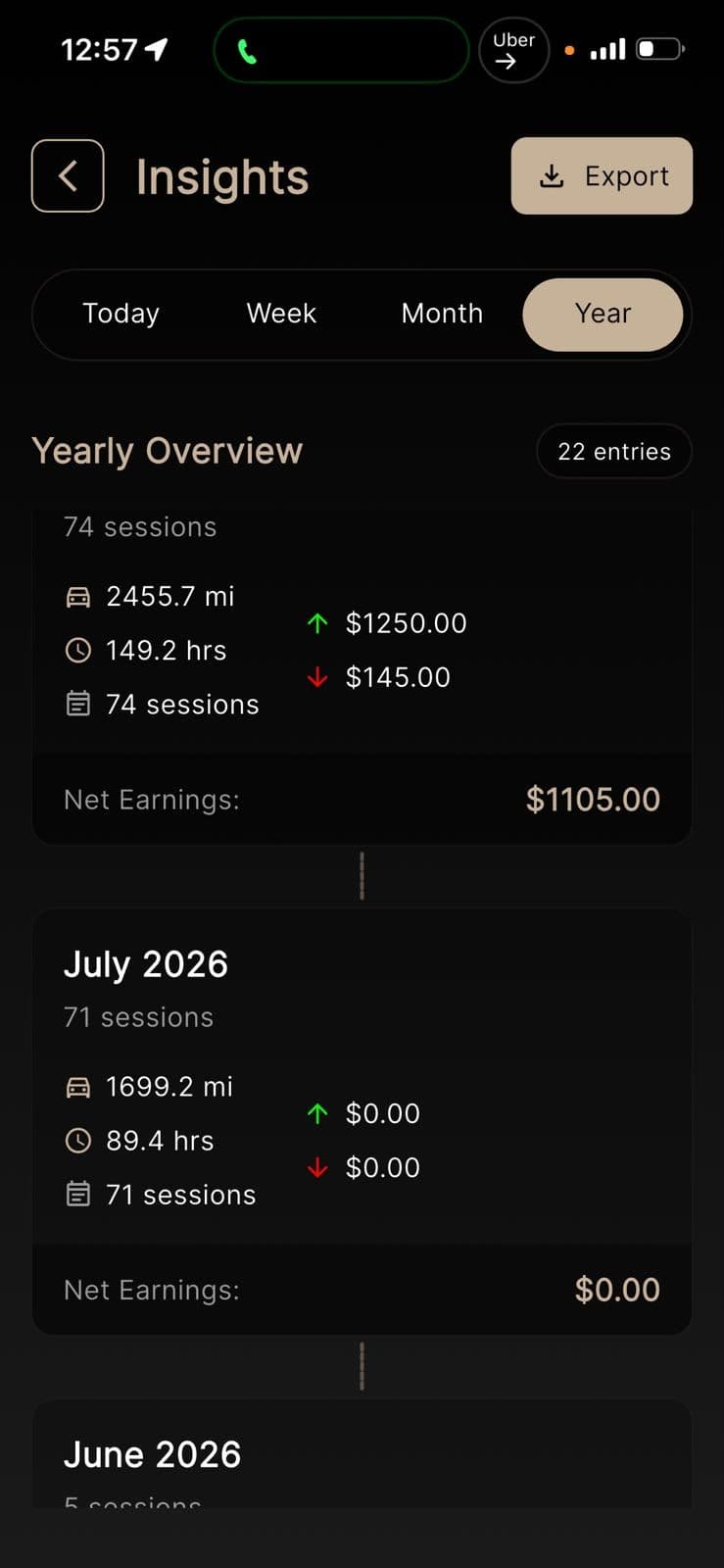
Gigways insights screen showing miles, hours, sessions and net earnings by month

The everyday tools.

This is what most drivers use Gigways for. All of it is free.

  1. 01

    Miles, tracked for you

    Turn tracking on once. The app notices when you start and stop driving and saves each trip. No buttons, no typing, no trip limit.

  2. 02

    Costs in the same place

    Log gas, tolls, car washes, repairs and other work costs next to your miles, so everything you spend on driving is in one record.

  3. 03

    What you really made

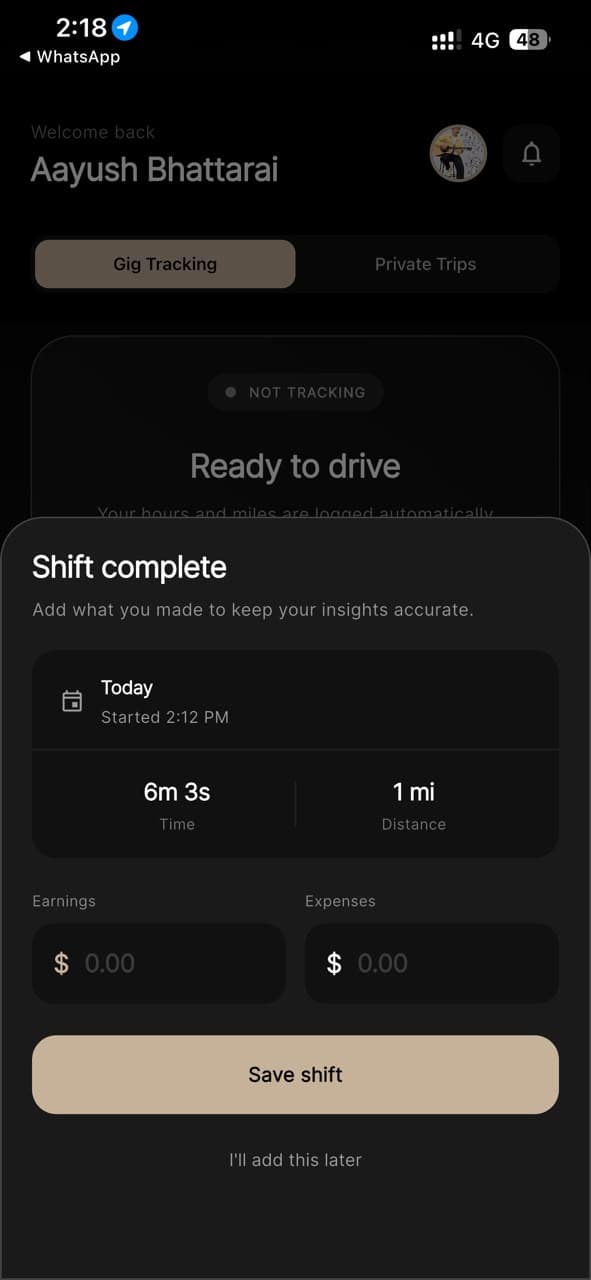
    After each shift, enter what you earned and what you spent. Gigways takes away the costs and shows what you kept.

  4. 04

    Totals by day, week, month or year

    See your miles, hours and money added up for any stretch of time, and download your records whenever you need them, like at tax time.

  5. 05

    A map of other drivers

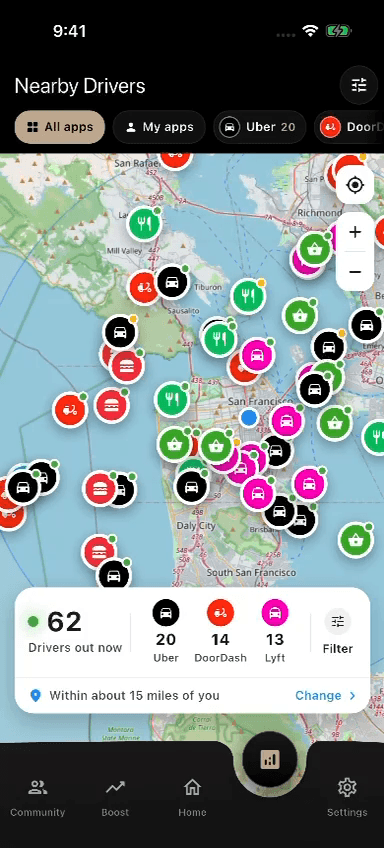
    See how many gig drivers are near you right now and which apps they drive for, so you can find quieter areas to wait in.

Gigways shift complete sheet with time, distance, and fields for earnings and expenses
Gigways driver density map showing where gig drivers are concentrated

Know the area before you wait in it.

The driver map shows how busy an area is with other gig drivers right now. If a spot is crowded, you can move somewhere quieter. It can’t promise you more orders, but it helps you make a better guess.

Two extras, only if you want them.

You never have to turn these on. They’re here for drivers who want a bit more from the miles they already drive.

Pal Mode

Give rides to people you already know.

Set up private rides directly with people you know, like your regular riders. It’s not open to the public, so strangers can’t book you through it.

  • Only people you know, never strangers
  • Kept apart from your gig app trips
  • Your work miles stay accurate

Car Advertising

Get paid to carry an ad on your car.

Businesses pay to put their ads on drivers’ cars. You keep driving where you normally drive, and you’re paid each month the ad is on.

  • You pick which ads you’re okay with
  • A professional puts it on and takes it off, free
  • No extra miles or detours needed
How car advertising works

Questions drivers ask

Something else? Contact us.

No. Tracking your miles is free, with no trip limit and no fee. You don’t need a credit card to start.

No. Once tracking is on, Gigways notices when you start and stop driving and saves each trip for you.

Any of them, including Uber, Lyft, DoorDash and Instacart. Gigways tracks your driving and your costs, so it doesn’t matter which app the work came from.

In the US, the miles you drive for gig work can often lower the tax you owe, but only the miles you recorded. A tax professional can tell you what applies to you.

It’s encrypted, it’s never sold, and it isn’t shared with Uber, DoorDash or any other app you drive for.

No. Both are optional extras. You can use Gigways just to track your miles and never turn either one on.

Every mile counts. Start tracking yours.

Download Gigways, turn on tracking once, and drive like you normally do. The app counts your miles from your very first trip.